
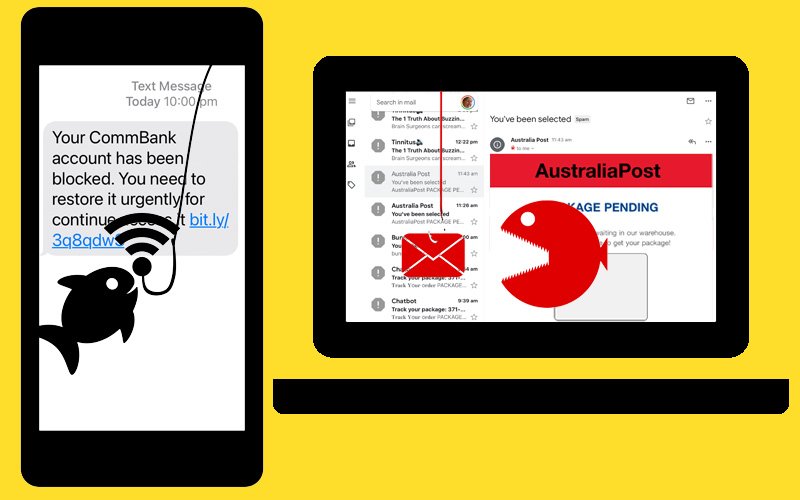
“I keep on getting spam on my phone and email. How do I stop it?”
This is a question we have discussed quite a bit recently in the Computer Question and Answer sessions. Most of these spam messages are scams and they are becoming more common, particularly on phones, where they’re called “smishing” (short for SMS phishing).
The Australian Cyber Security Centre (ACSC) is warning that the current conflict in the Ukraine also involves cyber attacks that may affect us too, so we should be even more alert.
How do these scams work?
Typical messaging scams are trying to trick you into giving sensitive information to a disguised attacker. Two common methods to steal this data are:
- Malware: The smishing URL link might trick you into downloading malware — malicious software — that installs itself on your phone or computer. This SMS malware might masquerade as a legitimate app, tricking you into typing in confidential information and sending this data to the cybercriminals.
- Malicious website: The link in the message might lead to a fake site that requests you to type sensitive personal information. Cybercriminals use custom-made malicious sites designed to mimic reputable ones, making it easier to steal your information.
How to protect against smishing and phishing
Unfortunately, you can’t prevent smishing texts or phishing emails. Text messaging is a legitimate means for many retailers and institutions to reach you, so not all messages should be ignored. But you should act safely regardless.
The good news is that you can easily keep yourself safe by doing nothing at all. In essence, the attacks can only do damage if you take the bait. The following steps will help you protect yourself against these attacks, whether by text message, email or phone call.
- Do not respond. Even prompts to reply like texting “STOP” to unsubscribe can be a trick to identify active phone numbers. Attackers depend on your curiosity or anxiety over the situation at hand, but you can refuse to engage.
- Slow down if a message is urgent. You should approach urgent account updates and limited time offers as caution signs of possible smishing. Remain skeptical and proceed carefully.
- Avoid using any links or contact info in the message. Avoid using links or contact info in messages that make you uncomfortable. Go directly to official contact channels when you can.
- Call your bank or merchant directly if doubtful. Legitimate institutions don’t request account updates or login info via text. Furthermore, any urgent notices can be verified directly on your online accounts or via an official phone helpline.
Be prepared – have a backup
The best protection against malware on any of your devices is to have a backup.
If you do get malware on your phone or computer, restoring from a backup taken before the infection is the easiest way to recover your device. If you don’t know how, enrol in 22COM103 Backup your computer (2 sessions – 31 March and 7 April on Zoom)
Find out more
While these steps are key, see “Avoid being caught by scams” on our website for a few more tips on how to keep safe – and what to do if you get caught.