
Did you get a fright on Monday when your phone made a loud noise – even if your phone was on silent or Do Not Disturb? Your phone would have vibrated and received a message as well. Your tablet or watch may also have received the alert.
That was a test of the new national warning system, AusAlert
What is AusAlert?
The Australian Government is launching AusAlert, a new national warning system. It sends emergency messages to compatible mobile devices during disasters such as bushfires, severe weather, and public health emergencies.
Before AusAlert is ready to use in October 2026, the system needs to be tested across Australia.
So the loud noise on Monday was the AusAlert national test.
What if you didn’t receive the alert?
You might not receive an AusAlert if:
- your mobile device is turned off
- your mobile device is in aeroplane mode
- your mobile device is not compatible with AusAlert
- there’s no mobile signal because a nearby tower is damaged or under repair.
To make sure you’re AusAlert ready, always install the latest software updates on your device when asked. Be sure to restart your device after updating.
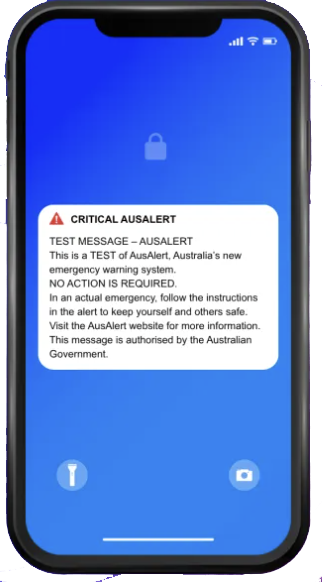
What are you supposed to do if you receive a real alert?
After 1 October 2026, when AusAlert is launched, all alerts will be about an actual emergency.
If you receive a real AusAlert:
- read the message when it’s safe to do so
- tell others, including family and people nearby
- follow the instructions in the message.
- continue to check local TV, radio, emergency apps and websites for updates about the emergency.
An AusAlert message will show the alert level:
- Critical Alert – This is the highest level of warning. You may be in danger.
- Priority Alert – There is a high level of threat. Watch and act.
Learn more about these alert types at the AusAlert website.
Why you can trust AusAlert
AusAlert is run by the Australian Government. Only authorised emergency services organisations and the Australian Government can send AusAlerts.
AusAlert:
- will never ask for your personal or financial details
- does not know or store your personal information
- does not know or store your phone number
- does not track your location
- does not require you to sign up or download an app.
If you receive anything that seems suspicious, you can report it to ScamWatch.