
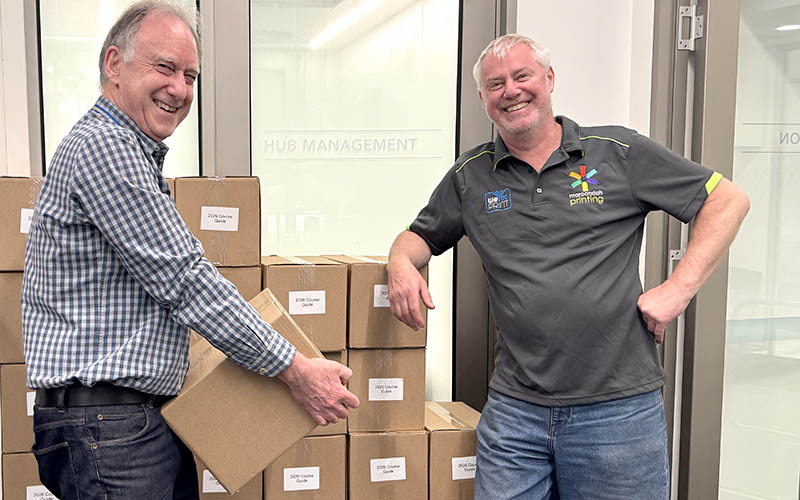
Now that the Course Guides are available, you can get ready for enrolment week. Enrolment opens at 9 am on 24 November for returning members. New members can enrol in the same way from Wednesday 26 November. Please read the hints and instructions on how to enrol.
Enrolling online is fastest
If you don’t feel confident to enrol online but would like to try, come along to one of our ‘How to Enrol Online’ sessions:
- 25AAEV01: How to enrol online at U3A for 2026– Zoom (Zoom session) Tuesday 18 November 1 pm to 3 pm. Members enrolling in this session will be sent a link to join prior to the class.
- 25AAEV02: How to enrol online at U3A for 2026– Hub (face-to-face session), Wednesday 19 November, 12:30 pm – 2:30 pm.
You’ll need to book at Reception for these as all online enrolments are now turned off.
Hints for easier online enrolment
- Get prepared – login and make sure all your details are correct BEFORE Monday 24 November.
- Make a list of classes you want to enrol in.
- Check the limits on your preferred courses:
– Restricted courses – only one class in each restricted group
– First week – only 3 regular classes, 5 Summer School classes, 4 Computer classes, and 4 short Art/Craft classes
– From 1 December – a limit of 8 regular classes and 8 Summer School classes. - Choose the classes you’re going to enrol in first. Be sure to enrol in your top preferences first.
- Be aware that there will be a rush at 9 am on Monday 24 November. While we are doing our best to allow everyone to login, you may need to keep trying.
Note – it doesn’t help to login before 9 am – you’ll need to login again. - Use the Filter and search for the courses you want to enrol in. This is faster than stepping through multiple pages.
- Add your chosen courses to your Shopping Cart.
- Remember to Check-out before you close down!
- You are encouraged to pay online using PayPal (which is very safe) – no need for a PayPal account. If you are on waitlists for all your choices, or you prefer to pay at Reception you can do this later. Remember to pay before you attend your first class!
Using the Filter to search
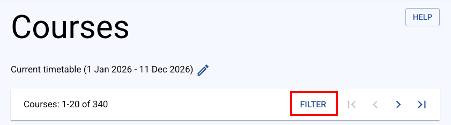
At the top of a Courses page find the Filter link. Click on this to open the Course Display Settings.
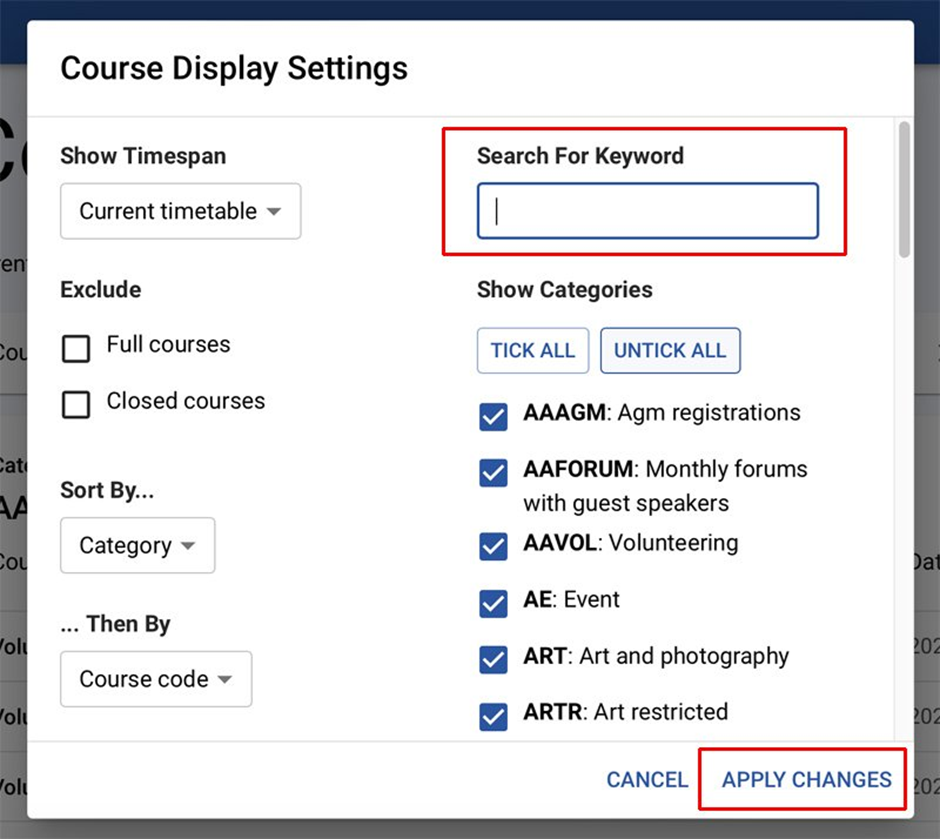
Type the course code you want into the Search box. Then click on the APPLY CHANGES link. Your chosen course will open ready for you to add it to your cart.
Enrolling in person
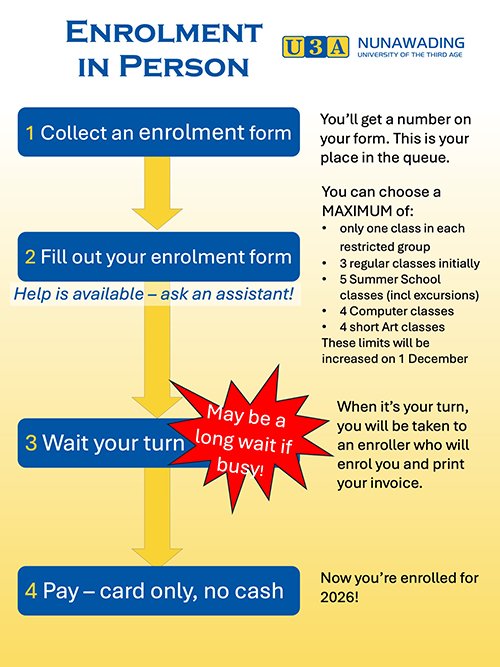
- Make sure you have your name badge and wear it.
- Join the queue at the Hub from 8:30 am on 24 November, or any day that week.
- Take a number. This is your place in the queue for enrolment. Follow the signs.
- Fill-out your enrolment form or bring along a completed form. Helpers will be available if you need assistance.
- Wait your turn. Note there may be a long delay when we’re busy.
- When your number is called, you will be enrolled by the enrolment assistants.
- If you are accepted into a class, you are expected to pay on the day. No cash accepted.
Enrolling if you’re going to be away and can’t enrol online
- Collect a form from Reception.
- Complete your enrolment form at your leisure.
- Lodge your form at the Reception Desk before 24 November.
- Remember these won’t be processed until later on Monday 24 November or following days.
Fees
The membership fee for 2026 is $60. There is no additional fee to attend Summer School for financial members except for class materials, where indicated, or entrance fees for excursions.
More help
During enrolment, there will be helpers available to solve your problems, but only in person at the Hub.
- There is no phone assistance available.
- You can also review the Membership instructions and help page on our website which has answers for many of your questions and how-to videos.
- If you still need help, please come to the Hub.