
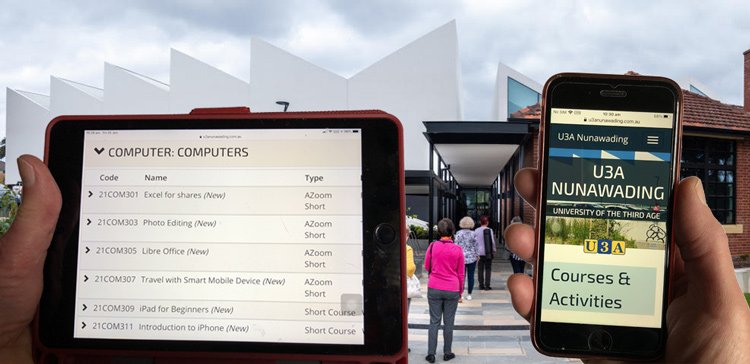
iPad and iPhone at the Hub!
Beginners classes for iPad and iPhone will be face-to-face in the Hub in Term 3. This will help members who need more support with their device to understand the basics and improve their technology skills – in line with the findings of the Ageing Well in a Changing World report.
Zoom has been a great way to keep up our computer classes during lockdowns and while settling into the Hub. We have been able to learn in the comfort of our own homes, using our own devices that we are familiar with. It is likely that some classes will always remain on Zoom where there are fewer limitations on the number of attendees.
Great as Zoom is, it is still wonderful to be able to run selected classes in face-to-face mode. We hope we will be able to extend this to a few more classes as restrictions ease.
Zoom offerings
New classes are starting in Term 3 for the following:
- Excel for shares
- Photo Editing
- Libre Office
- Travel with Smart Mobile Device
- Android Phones – Basics and Beyond
- Windows 10 Basics and Beyond
- Questions and Answers
Download the Term 3 Computer Course descriptions document or view the list of courses online. Enrol in the usual way on our Member database.
Can’t find the course you want?
Be Connected is an Australia-wide initiative empowering all Australians to thrive in a digital world. There is a wide range of online courses to choose from, including buying and selling online, paying safely online, mobile banking, using myGov, avoiding scams and tricks, and lots more. Go to https://beconnected.esafety.gov.au/ to get started. It’s free and safe.